
Orders, inventory, shipments — connected and flowing.
Connex is the integration hub between SHOPLINE and CROSS MALL, carriers and back-office systems. No more manual CSV surgery or copy-paste operations — your orders and stock keep moving.
No credit card required · Connect your SHOPLINE store in minutes
Services you can connect
The back office is still wired together by hand
The more channels and systems you run, the more of the gap between them is filled by people.
Orders moved by hand
Export a CSV, fix the format, paste it into the back-office system. Every order. Volume grows, overtime grows with it.
Stock drift becomes oversell
Inventory changes in the warehouse never reach the storefront. You find out after something sold that wasn't there.
Routine ops live in one person's head
Cancelling unpaid orders, building shipping files — someone does it daily, and only they know how.
What Connex does
It sits between your stores, your systems and your carriers — receiving data, transforming it, and delivering it to the right place.
What you get
Connect it. Move it. Automate it. All from one console.
Getting connected shouldn't be the hard part
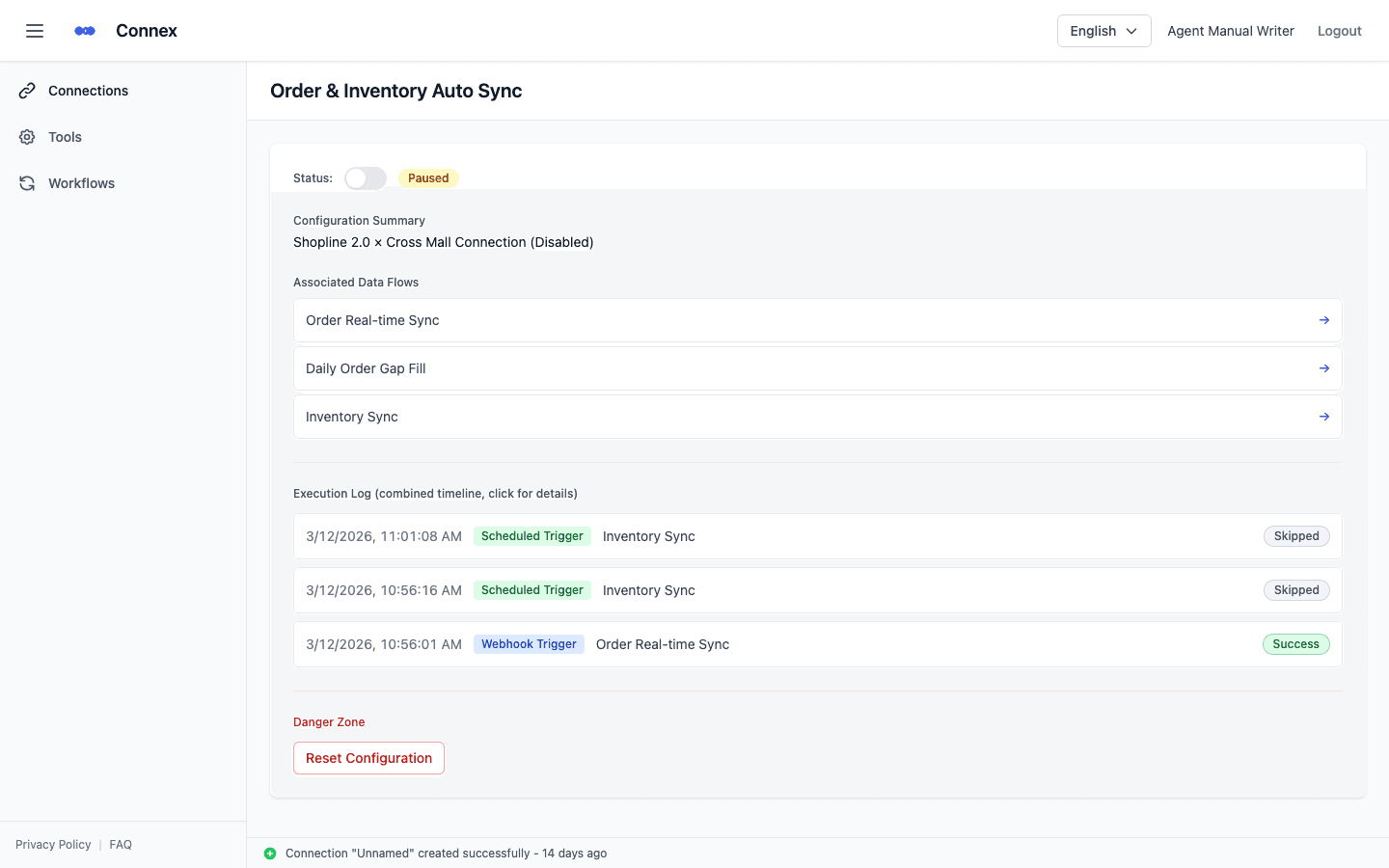
Connect a SHOPLINE store in a few clicks from its authorization screen. CROSS MALL needs nothing more than its credentials. Every connection is listed in one place, and Connex keeps the authorization alive for you.
- Connect SHOPLINE stores and CROSS MALL from a single screen
- Connex manages authorization lifetimes — you never have to watch them expire
- Manage multiple stores and accounts in one place
Shipping files, done in five steps
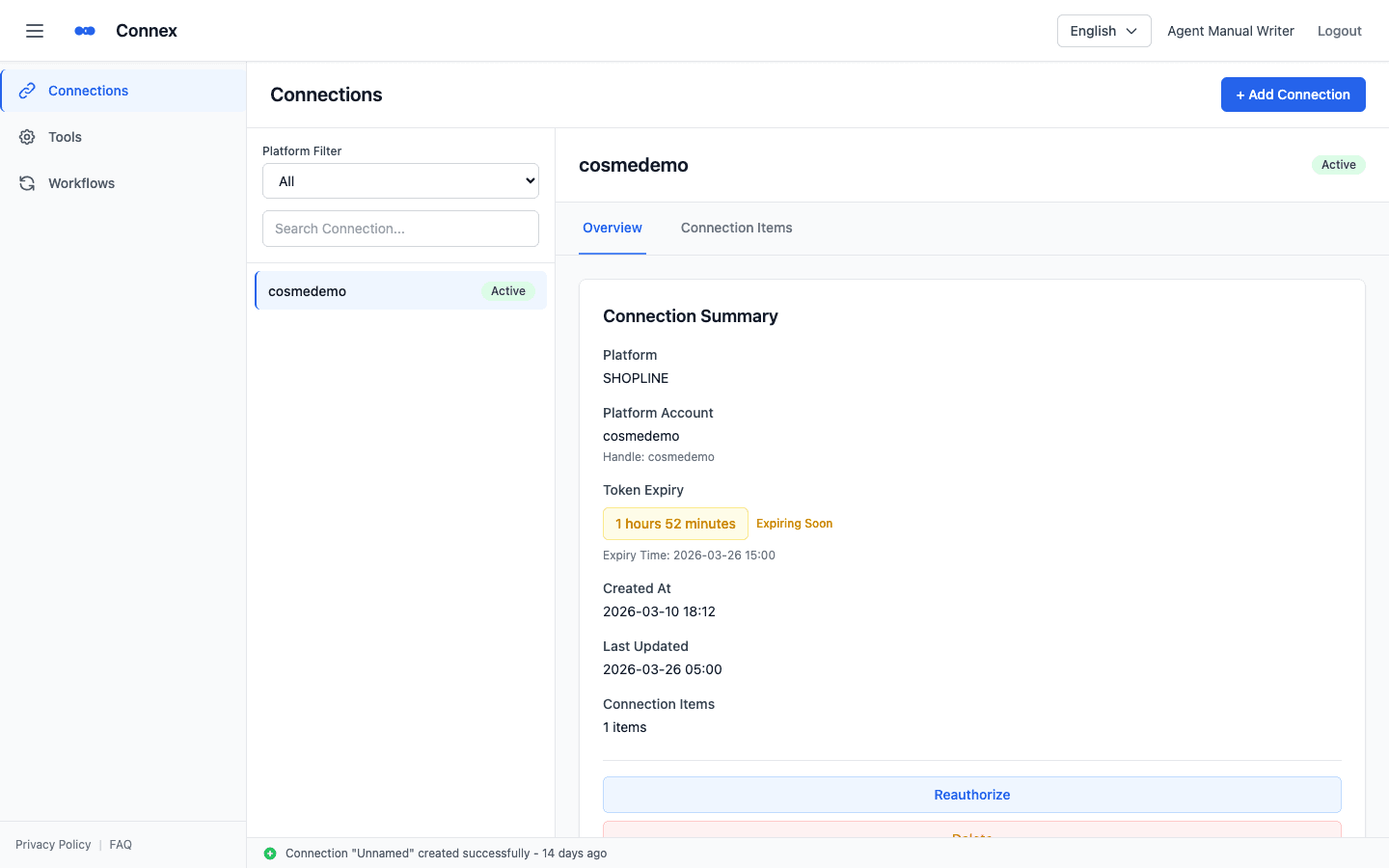
Filter your orders, pick an operation, run it. Connex assembles the carrier-specific format — no CSV hand-editing.
- Generate shipping data for Yamato Transport's B2 Cloud label system
- Sagawa Express and Sukeneko EC Management System formats supported
- Send orders to CROSS MALL by email
- Bulk-cancel selected orders and review results on the spot
Staying up is the whole point
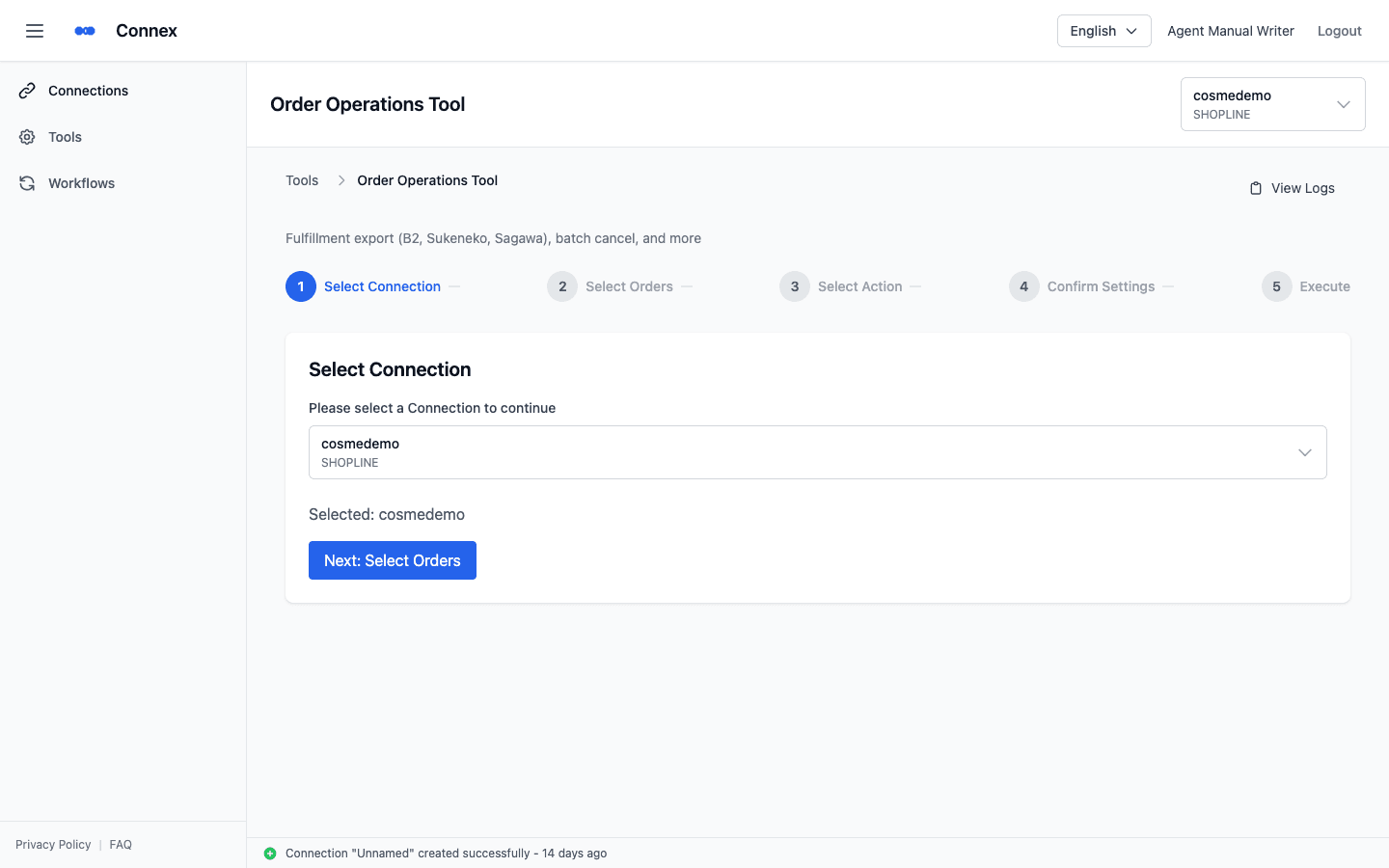
New orders reach your back office the moment they land. Inventory is pulled on a schedule and written back to the store. Anything missed is refilled daily. Nobody has to watch it.
- Real-time order sync, triggered by webhook
- Daily gap-fill — finds missed orders and resends them
- Inventory sync — pulls CROSS MALL stock and updates SHOPLINE
- Every run on a timeline: trigger type, outcome, detail
Set the routine work down, and forget it
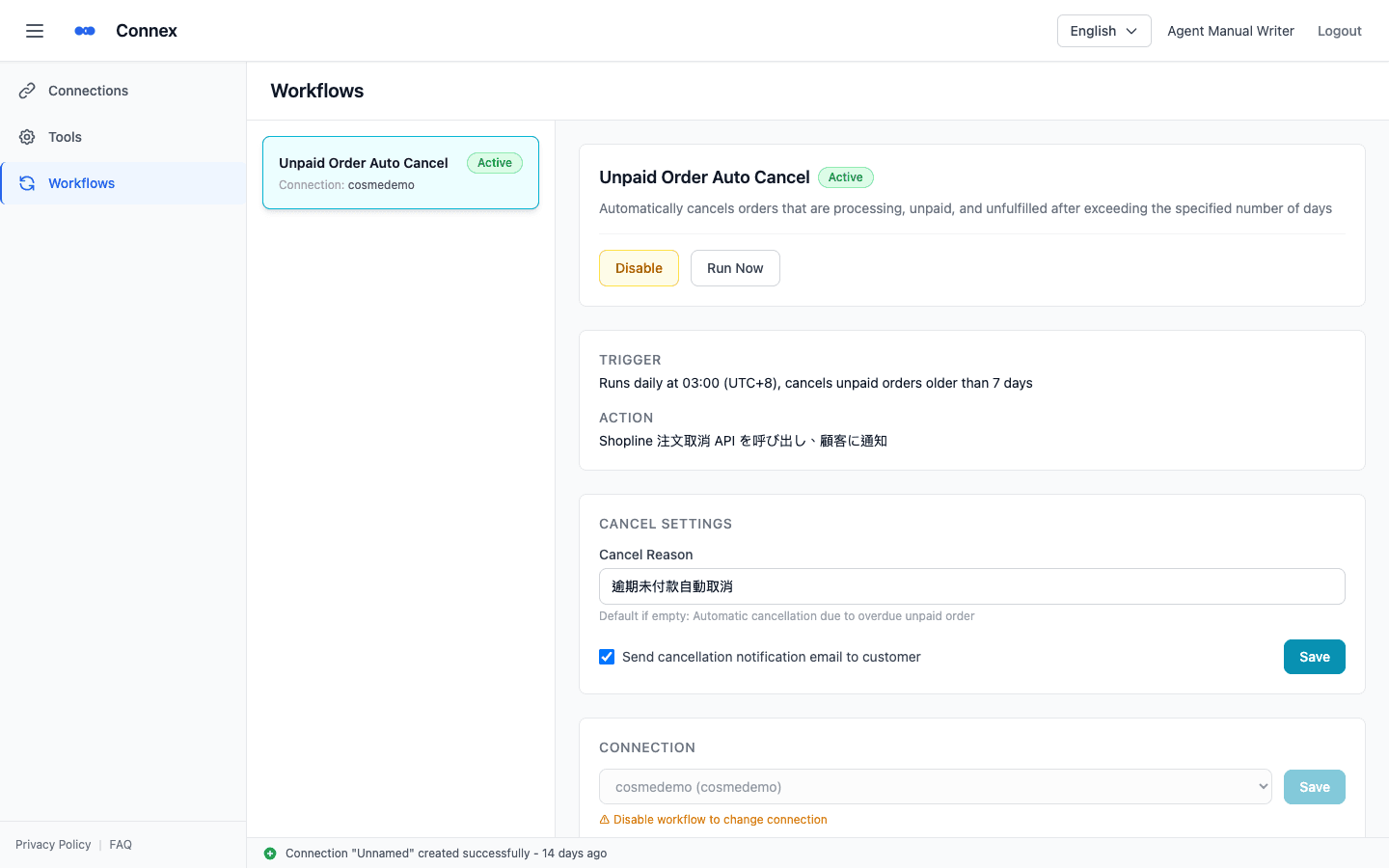
Unpaid orders past their deadline get cancelled automatically. Product metafields update in bulk from Excel or CSV. Routine ops move out of memory and into the system.
- Auto-cancel overdue unpaid orders (run time, day threshold, customer notification)
- Manual runs supported; full execution history always available
- Bulk metafield import (xlsx / csv, with preview and per-row errors)
Supported services
New integrations are built on the same foundation.
E-commerce
- SHOPLINE
Order & inventory management
- CROSS MALL
- Sukeneko EC Management System
Shipping & fulfillment
- Yamato Transport B2 Cloud
- Sagawa Express
A foundation you can hand work to
Encrypted credentials
Connection credentials are stored encrypted. All traffic runs over HTTPS.
Tenant isolation
Data is separated per organization. You never touch anyone else's.
Role-based access
Invite members to your organization and scope what each role can do.
Visible execution
What ran, when, and how it ended — every run leaves a record.
Three steps to go live
Create an account
Sign up with an email address and open the console.
Connect your store
Authorize SHOPLINE, then register your back-office and carrier details.
Start the flow
Run bulk tools, or switch on auto-sync and let it keep running.
End the manual integration today
From sign-up to a live connection takes minutes.